Best Telegram CRM (2026): four approaches, compared honestly
"Best" depends on how you already work. If your customers live in Telegram, the right CRM is the one that removes the most coordination cost — not the one with the longest feature list. Here are the four real ways teams run a CRM on Telegram, what each is good at, and where each breaks.
How to judge "best" (before comparing anything)
Feature checklists are the wrong lens for a Telegram CRM, because most options can technically store a contact and a deal. The real question is how much daily friction the tool adds. I judge every approach below on four things:
- Surface — does the CRM live where the conversation happens, or does it force a tool switch?
- Capture — can leads enter the system automatically at the point of contact?
- Visibility — can everyone who needs the pipeline see the same state?
- Cadence — are follow-ups automated, or dependent on someone remembering?
1. Native Telegram CRM (e.g. SYNC Hub)
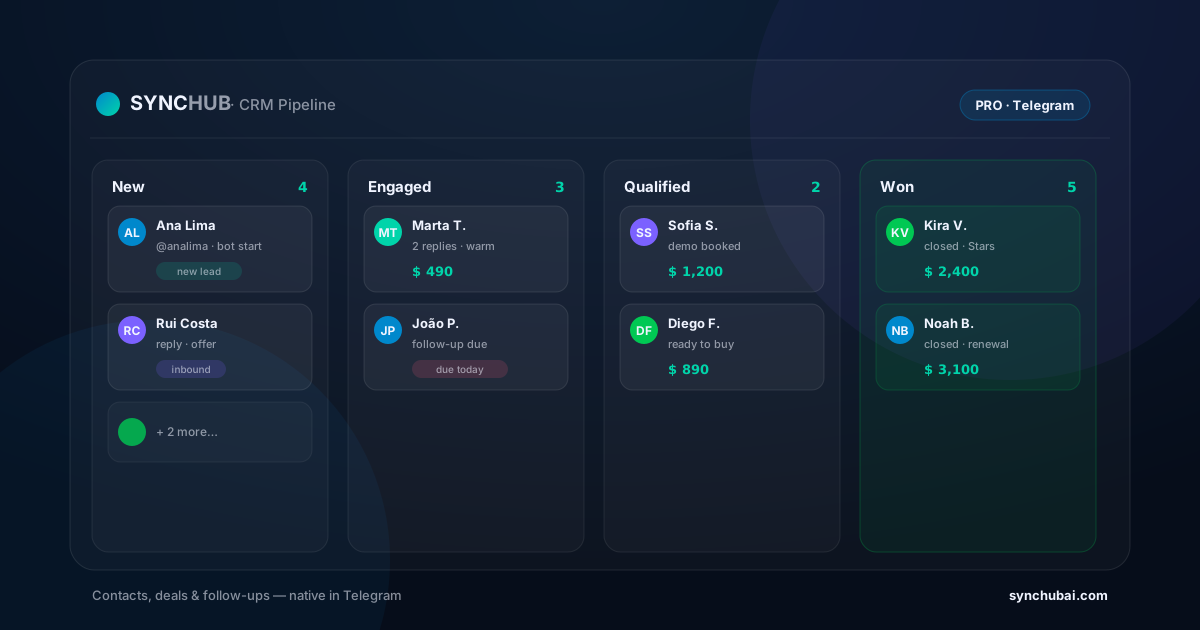
A native Telegram CRM keeps contacts, deals, pipelines, and follow-ups on the same surface as the chat. Leads are captured from a bot start or reply, the pipeline is shared, and follow-ups can run automatically.
Best for: creators, communities, agencies, and small sales teams that already operate in Telegram all day.
Where it breaks: if Telegram is only a side channel, or you need enterprise-grade forecasting and BI across many channels, it shouldn't be your center of gravity.
2. General CRM + Telegram integration
Here you keep a traditional CRM (built for email/web) and connect Telegram through an integration. It's a reasonable choice if the rest of your company already lives in that CRM.
Best for: larger orgs with an existing CRM standard and a dedicated ops person.
Where it breaks: the team still updates records in a separate dashboard, so the coordination cost stays high and the Telegram context often arrives flattened or delayed.
3. Spreadsheet (the honest default)
Most teams start here, and there's no shame in it. A shared sheet is cheap, flexible, and everyone understands it.
Best for: a solo operator or a very early team with low volume.
Where it breaks: the moment conversations scale and more than one person touches the same lead. The manual re-typing between chat and sheet becomes the single biggest source of lost leads.
4. No-code glue (Zapier / n8n)
Automation tools are excellent at moving data between systems. But glue connects surfaces — it isn't a surface itself. You still need a place where contacts, deals, and follow-ups live and stay visible.
Best for: stitching a Telegram CRM into the rest of your stack (billing, email, sheets).
Where it breaks: when teams try to use it as the CRM. We wrote a deeper breakdown in SYNC Hub vs Zapier vs n8n.
So which is the best Telegram CRM?
If your contacts and deals already form around Telegram conversations, a native Telegram CRM almost always wins on the four criteria above, because it's the only approach where the surface, capture, visibility, and cadence live in one place. If Telegram is a minor channel for you, a general CRM with an integration is the pragmatic pick. Spreadsheets and no-code glue are great supporting players — just not the whole system once you scale.
For the full picture of what a Telegram CRM is and how to set one up, start with the complete Telegram CRM guide.
Frequently asked questions
What is the best Telegram CRM in 2026?
For teams and creators already inside Telegram, a native tool like SYNC Hub that keeps contacts, deals, and follow-ups on the same surface as the chat. A general CRM + integration works when Telegram is a secondary channel.
Is a spreadsheet enough as a Telegram CRM?
It works until conversations scale and more than one person needs the same lead. After that, the manual re-typing between chat and sheet becomes the main source of lost leads.
Should I use Zapier or n8n to build a Telegram CRM?
Use them to connect your CRM to the rest of your stack, not as the CRM itself. You still need a shared surface where contacts, deals, and follow-ups stay visible.
Test the native approach on one real pipeline.
Open a pipeline, capture a few contacts from your bot, and see whether your team loses less context over a week — free.
Start free in SYNC Hub