How to automate a Telegram channel
Running a Telegram channel by hand is a full-time job: posting on schedule, reposting to other channels, filtering noise, and never missing a beat. Automation takes over the mechanical part so you can focus on what to say, not when to hit send. Here's how to automate a channel step by step — with real screenshots and no code.
Step 1 — Connect your channel
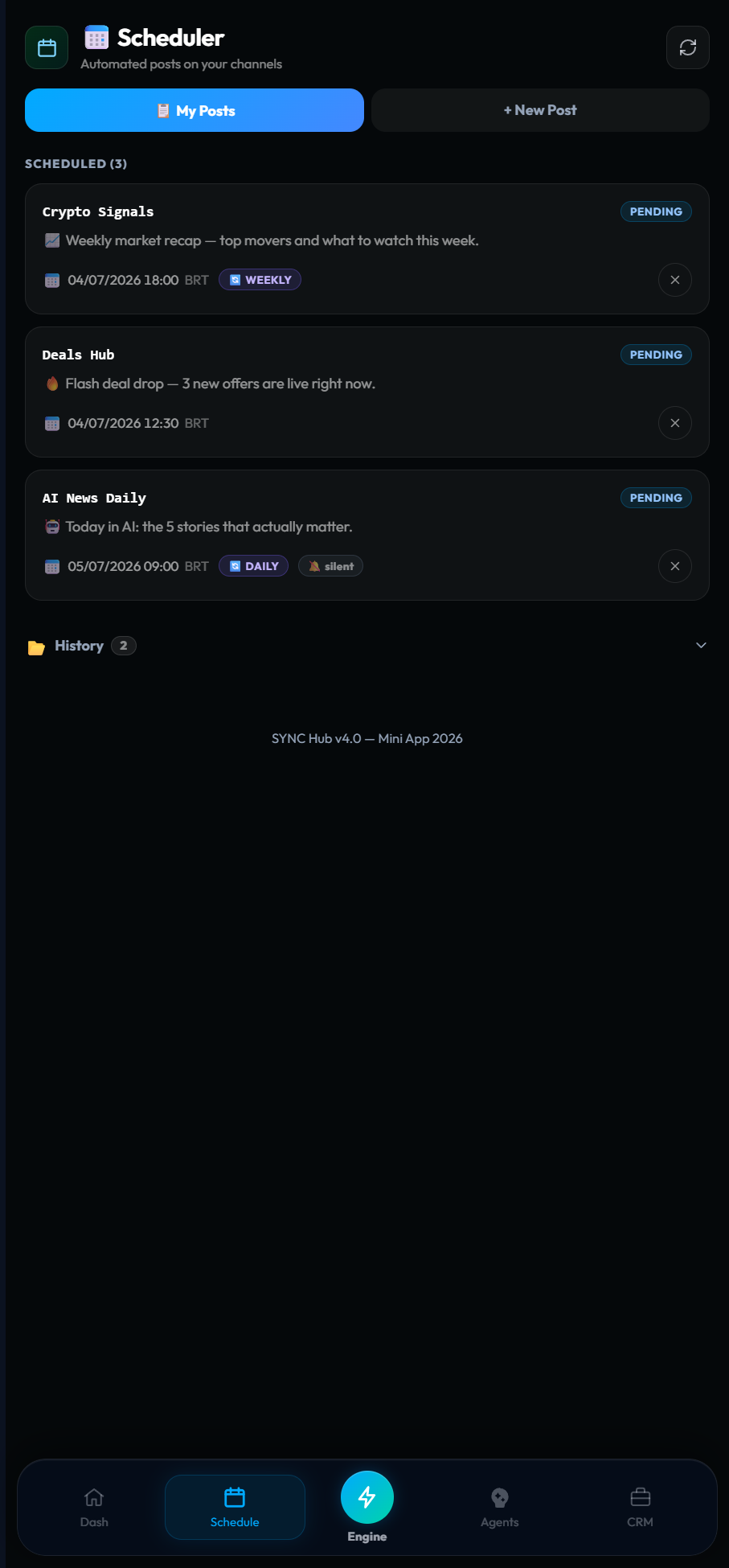
Add the bot as an admin of your channel so it can publish on your behalf. This is the one-time setup that unlocks everything else — scheduling, reposting, and filtering all run through it.
Step 2 — Schedule and repeat posts
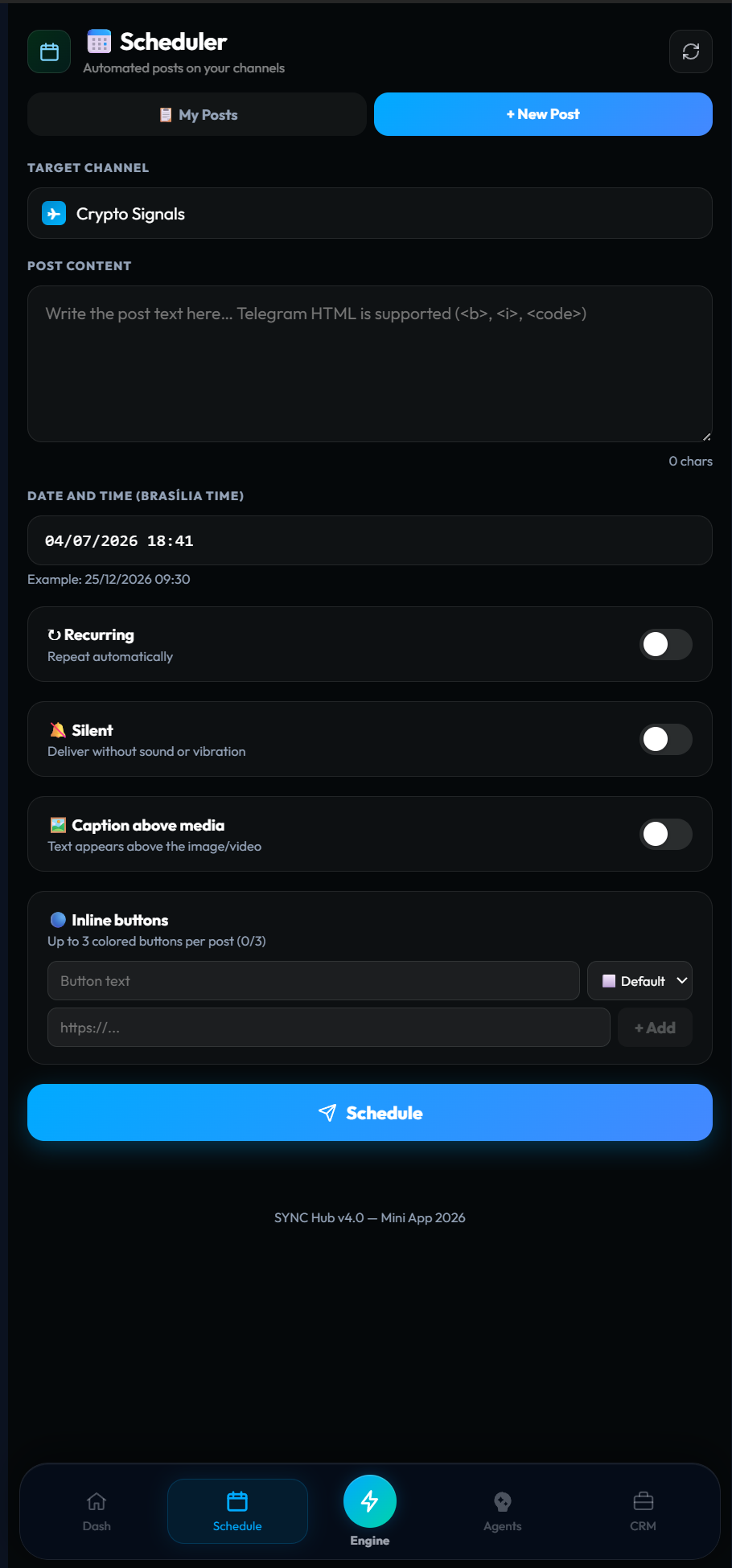
The biggest time sink is manual posting. Instead, write a post, pick the channel and time, and hit schedule. Make it recurring — daily, weekly, or monthly — and it publishes on its own. You can queue a week of content in one sitting and set evergreen posts to repeat indefinitely, with silent delivery when you don't want to ping everyone.
Step 3 — Repost between channels
If you run more than one channel, reposting by hand is pure friction. A forwarding rule reposts content from a source channel to one or more destinations automatically — so your main announcement lands everywhere it should without copy-paste.
Step 4 — Filter and route
Not everything deserves to go out. Filters drop noise before it reaches your audience, and routing sends the right content to the right channel. This keeps each channel clean and on-topic without you moderating every message.
Step 5 — Monitor results
Automation only helps if it's reliable, so keep an eye on the numbers: how many posts were sent, how many were filtered, and whether anything failed. When the mechanical layer is visible, you can trust it to run while you focus on strategy.
Where to go next
Scheduling and reposting are the entry point to broader automation. For the full model — including lead capture and follow-ups — read the Telegram automation guide. For the conceptual deep dive on channels specifically, see Telegram channel automation. And to turn channel audiences into tracked contacts, the Telegram CRM guide connects the dots.
Put your channel on autopilot.
Schedule your first recurring post and set up a repost rule — free to start, no code.
Start free in SYNC Hub