Telegram message forwarding: auto-forward between channels
Forwarding posts from one Telegram channel to another by hand is the kind of repetitive work that quietly eats hours — and breaks the moment you're offline. Automated message forwarding fixes that: you set a rule once, and every new post is mirrored to the channels you choose, 24/7. And because it's not just copy-paste, you can rewrite, translate, and filter on the way. Here's how it works, with real screenshots.
What message forwarding actually does
A forwarding rule connects a source channel to one or more destination channels. Once it's active, every new post in the source is copied to the destinations automatically — no manual "forward" button, no being online at the right moment. It's the difference between running one channel and effortlessly running a network of them.
Step 1 — Connect source and destination
Pick where you're copying from and where it should land. You can forward from any channel you can read as a member — the forwarding runs through your own connected session, so it respects the access you already have. Destinations can be your own channels, a group, or several at once.
Step 2 — Create the rule (and it just runs)
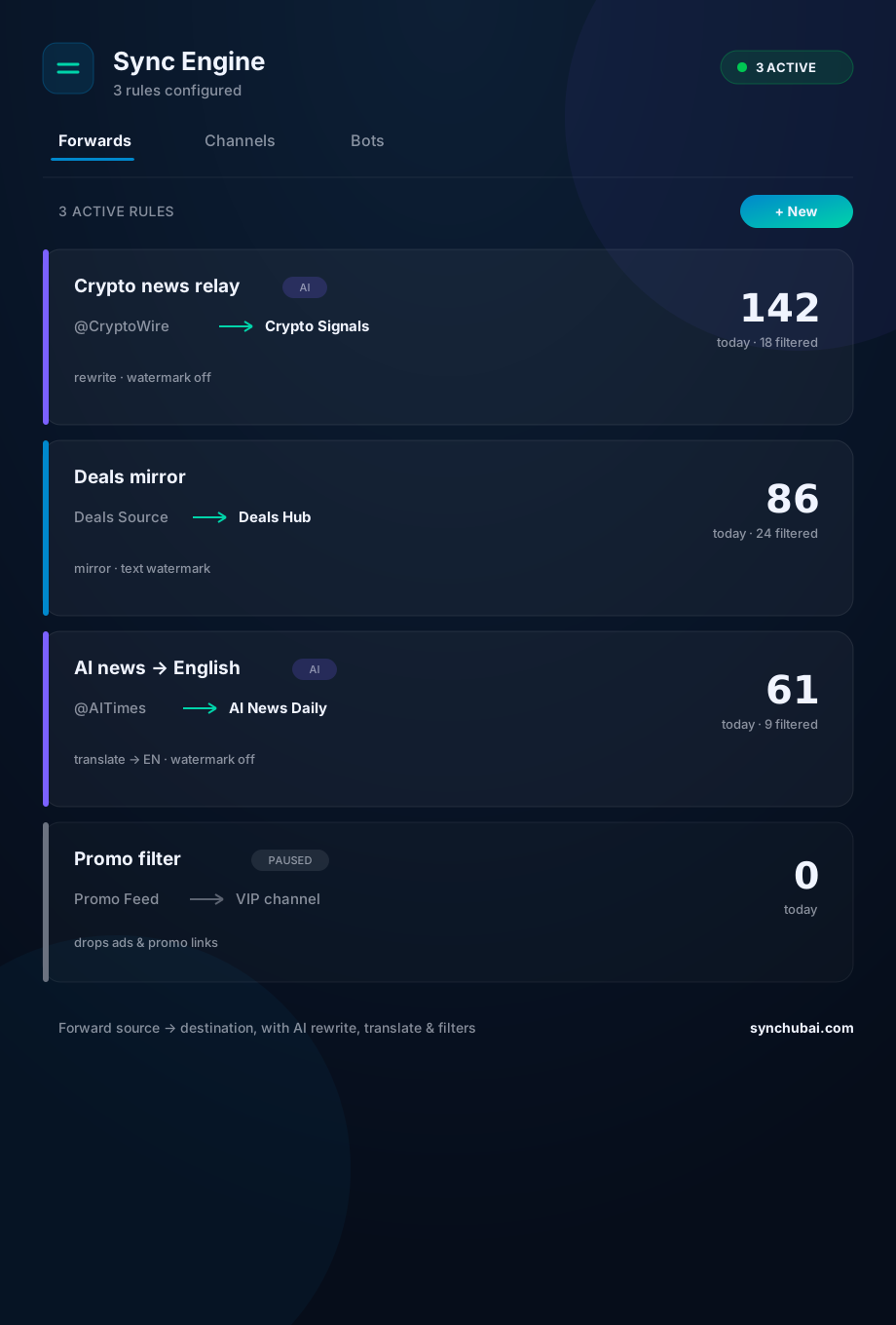
A rule is source → destination. Turn it on and it works from then on, in the background. Each rule shows its own live counters — how many posts were forwarded, filtered, or failed today — so you can trust it without babysitting it (see the screenshot above).
Step 3 — Rewrite or translate on the way (optional)
Plain mirroring is fine, but identical posts across channels look like spam and can trip duplicate-content filters. So a rule can rewrite each post with AI — same meaning, fresh wording — or translate it into another language. That's how you run, say, an English channel that mirrors a Portuguese source and reads perfectly native.
Step 4 — Filter the noise
You rarely want everything mirrored. Filters drop ads, promo links, or specific keywords before they reach your audience — so the destination stays clean and on-topic, even when the source is messy.
Step 5 — Monitor delivery
Automation is only useful if it's reliable, so every rule reports its numbers: forwarded, filtered, failed. When you can see the mechanical layer working, you stop checking manually and get back to strategy.
Where forwarding fits
Forwarding is the backbone of channel operations — pair it with channel automation (scheduling, routing) and the broader Telegram automation guide. And when forwarded content brings people to your bot, a Telegram CRM turns them into tracked contacts.
Frequently asked questions
How do I auto-forward messages between Telegram channels?
Create a forwarding rule linking a source channel to one or more destinations. Once active, every new post is copied automatically — and you can rewrite, translate, or filter on the way.
Can I forward from a channel I don't own?
You can forward from any channel you can read as a member; it runs through your own connected session, respecting your existing access.
Can I rewrite or translate forwarded posts?
Yes — a rule can rewrite each post with AI (to avoid duplicate wording) or translate it, so mirrored content feels native to each channel.
Mirror your channels on autopilot.
Set up a forwarding rule — source to destination, with rewrite or translate — and let it run 24/7. Free to start.
Start free in SYNC Hub